
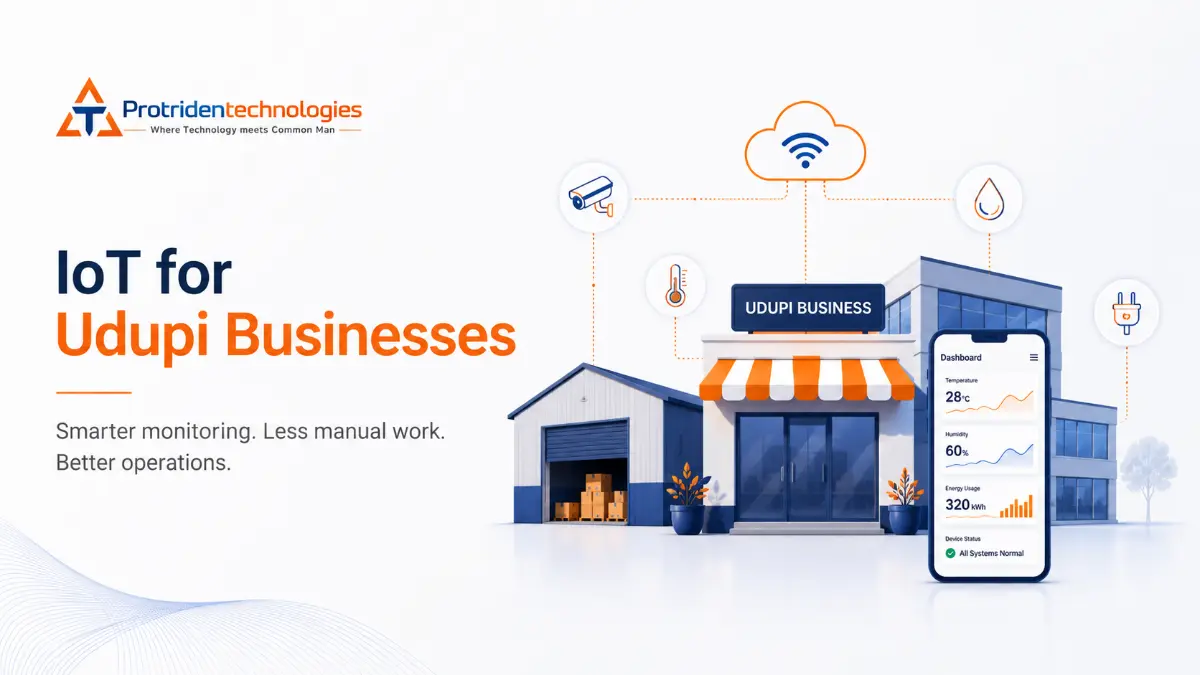
A machine starts overheating.
The temperature inside a storage facility moves outside the safe range.
A water tank is nearly empty.
A delivery vehicle moves away from its planned route.
In many businesses, these situations are discovered only when someone physically checks the equipment or when the problem has already interrupted operations.
The Internet of Things, commonly called IoT, helps businesses collect information from physical devices and make that information available through software.
An IoT system may connect machines, vehicles, meters, sensors, appliances or other physical assets to a central platform. The system can then monitor conditions, record data, send alerts and support remote actions.
IoT is not simply about connecting a device to the internet.
A useful IoT solution connects physical equipment with software, data, cloud infrastructure and a clear business process.
What Is IoT?
The Internet of Things refers to physical objects that contain sensors, software and network connectivity, allowing them to collect and exchange information. These objects may include machines, vehicles, meters, cameras, appliances and environmental sensors.
For example, a temperature-monitoring system may contain:
- A temperature sensor
- A device that reads the sensor
- A network connection
- A cloud or edge platform
- A database
- A dashboard
- An alert system
The sensor alone is not the complete IoT solution.
The complete system must collect the reading, transfer it securely, process it and present it in a form that helps someone make a decision.
How Does an IoT System Work?
A typical IoT system contains several layers.
1. Devices and sensors
The physical layer measures or detects something.
Depending on the use case, a device may collect:
- Temperature
- Humidity
- Pressure
- Vibration
- Location
- Energy consumption
- Water level
- Equipment status
- Movement
- Air quality
Some devices collect data only. Others can also receive instructions and control equipment.
2. Connectivity
The device needs a way to transmit information.
Depending on the environment, connectivity may use:
- Wi-Fi
- Ethernet
- Cellular networks
- Bluetooth
- LoRaWAN
- Industrial network protocols
Cloud IoT platforms commonly support device communication through protocols such as MQTT and HTTPS.
The correct connectivity method depends on the distance, data volume, power availability, network reliability and physical environment.
3. Edge or gateway processing
Not every piece of data must be sent directly to the cloud.
A gateway or edge system can process information closer to the device. It may filter unnecessary data, respond locally or continue operating when the internet connection is unavailable.
IoT solutions may be cloud-based, edge-based or hybrid, depending on how quickly the system must respond and where the information needs to be processed.
4. Cloud or IoT platform
The platform receives device data and helps manage the connected devices.
It may handle:
- Device registration
- Device authentication
- Message processing
- Data storage
- Device status
- Rules and alerts
- Remote commands
- Integrations with other systems
Modern IoT platforms are designed to connect, monitor and manage devices and assets at scale.
5. Business application
The final users normally interact with a mobile app, dashboard, admin panel or reporting system.
The application may show:
- Live readings
- Device status
- Historical data
- Warning conditions
- Maps
- Maintenance records
- Energy usage
- Staff actions
- Downloadable reports
This is the layer that converts technical device data into useful business information.
Real Business Applications of IoT
IoT can support many industries, but it should always begin with a specific operational problem.
1. Equipment Condition Monitoring
Machines can be monitored using information such as vibration, temperature, pressure, operating hours or power consumption.
The system may detect when a reading moves outside its expected range and send an alert to the operations or maintenance team.
This does not mean that every alert accurately predicts a machine failure.
It means that the business receives earlier information that may help the team inspect the machine before the problem becomes more serious.
Connected operations platforms are commonly used for asset health, predictive maintenance, energy optimisation and digital inspection scenarios.
2. Temperature and Cold-Chain Monitoring
Businesses that store food, medicine or other temperature-sensitive products may need continuous temperature records.
A connected monitoring system can:
- Record readings automatically
- Display current temperature
- Maintain historical records
- Notify staff when limits are crossed
- Monitor several storage areas from one dashboard
The system must use suitable sensors and proper calibration. A software alert cannot compensate for an inaccurate or poorly installed sensor.
3. Fleet and Vehicle Monitoring
A connected fleet system may collect:
- Vehicle location
- Trip history
- Route information
- Speed
- Fuel information
- Engine status
- Driver events
The information can be displayed in an operations dashboard or customer application.
Fleet management, inventory tracking and cold-chain monitoring are established IoT application areas.
However, businesses must also consider driver privacy, employee policies, data retention and access control.
4. Energy Monitoring
Connected meters can help businesses understand where and when energy is being consumed.
A system may compare:
- Different buildings
- Different machines
- Different working shifts
- Peak and non-peak hours
- Current and historical usage
The system does not automatically reduce the electricity bill.
It gives the business better information to investigate abnormal consumption and decide whether changes are necessary.
5. Water-Level and Pump Monitoring
Sensors can measure water levels and report pump status.
A system may notify the responsible team when:
- A tank reaches a minimum level
- Water approaches the overflow point
- A pump runs longer than expected
- A device stops reporting
- A pump requires inspection
Automatic control should include proper electrical protection, hardware safeguards and manual override options.
Safety-sensitive equipment should not depend only on a cloud connection.
6. Building and Facility Monitoring
Commercial facilities may monitor:
- Room temperature
- Humidity
- Doors
- Lighting
- Power systems
- Air quality
- Equipment rooms
- Water leakage
- Occupancy
The dashboard can help facility managers view several conditions from one place.
The business should clearly decide which data needs continuous monitoring and which conditions only need periodic checks.
7. Inventory and Asset Tracking
Connected tags, scanners or location devices can help organisations know where important assets are located.
Depending on the technology, a system can support:
- Warehouse item tracking
- Tool tracking
- Equipment movement
- Asset check-in and checkout
- Location history
- Missing-item alerts
Not every inventory problem requires IoT.
A barcode system, QR-code workflow or standard inventory application may be simpler and less expensive.
8. Agriculture and Environmental Monitoring
IoT systems may collect information such as:
- Soil moisture
- Temperature
- Humidity
- Rainfall
- Water availability
- Irrigation status
- Storage conditions
The information can support the farmer or operator, but it should not be presented as a replacement for human knowledge.
Field conditions also create practical challenges such as weak connectivity, power limitations, dust, water exposure and sensor maintenance.
What Is the Difference Between IoT and Normal Software?
Traditional business software normally receives information from people.
For example:
- An employee enters an order.
- A manager updates stock.
- A driver confirms a delivery.
- A technician records a machine reading.
An IoT system receives some information directly from a physical device.
For example:
- A sensor sends the temperature.
- A meter sends energy usage.
- A tracker sends vehicle location.
- A controller sends machine status.
Many useful systems combine both.
A sensor may report a machine warning, while a technician uses the application to record the inspection and action taken.
Does Every Business Need IoT?
No.
IoT may not be the right solution when:
- The business problem is unclear
- The process can be solved with normal software
- Manual checks are already reliable and inexpensive
- The cost of sensors and maintenance is higher than the value created
- Connectivity is unreliable
- The business cannot respond to alerts
- The hardware cannot be maintained
- Security responsibilities are unclear
- The project has no measurable objective
A custom dashboard, mobile app, barcode system or workflow automation platform may solve the problem without requiring connected sensors.
The correct approach is to select the simplest system that solves the business problem.
Questions to Ask Before Starting an IoT Project
What exact problem must the system solve?
Avoid beginning with:
We need an IoT platform.
Begin with:
We need to know within five minutes when the storage temperature crosses the approved range.
The second statement is measurable and easier to design around.
What should the device measure?
Define:
- The required measurement
- The acceptable range
- How frequently data is needed
- The required accuracy
- The operating environment
- How the sensor will be maintained
What should happen when a limit is crossed?
An alert is not useful unless the business has a response process.
Decide:
- Who receives the alert
- How the alert is delivered
- How quickly the person must respond
- Whether the issue should escalate
- How the action will be recorded
What happens when connectivity fails?
The system should define what happens when:
- The device loses internet access
- The cloud platform is unavailable
- A gateway stops working
- Messages are delayed
- The device loses power
Some systems can temporarily store readings and transmit them when connectivity returns. Critical systems may also require local controls that continue operating without the cloud.
How many devices will be connected?
A pilot with five devices and a production system with thousands of devices require different architecture, monitoring and device-management processes.
The business must consider how devices will be registered, configured, updated, replaced and removed.
Who will maintain the hardware?
Sensors and devices may need:
- Battery replacement
- Calibration
- Firmware updates
- Network configuration
- Physical cleaning
- Replacement
- Inspection
The maintenance responsibility must be clear before deployment.
IoT Cybersecurity Cannot Be Added Later
Every connected device creates another part of the system that must be managed and protected.
Security planning should consider:
- Device identity
- Authentication
- Encrypted communication
- User permissions
- Secure configuration
- Software and firmware updates
- Activity logs
- Network separation
- Data protection
- Device replacement
- Device decommissioning
NIST recommends defining the cybersecurity capabilities expected from both the IoT device and the organisations supporting it.
Businesses should also check how long the device manufacturer provides updates and what happens when a device reaches the end of its supported life.
Cloud Versus Edge Processing
Not every IoT system should send everything directly to the cloud.
Cloud processing may be suitable when:
- Data from many locations must be combined
- Users need remote access
- Historical reporting is important
- The system needs integrations
- Immediate local response is not critical
Edge processing may be suitable when:
- The system requires a rapid local response
- Connectivity is unreliable
- Large volumes of data should be filtered
- Sensitive information should remain on-site
- Equipment must continue operating offline
Many practical systems use a hybrid approach.
The edge system handles immediate processing while the cloud stores selected information and provides dashboards, reporting and remote management.
How to Start an IoT Project Correctly
Step 1: Identify one business problem
Do not start with an entire factory, fleet or building.
Choose one important and measurable problem.
Step 2: Document the current process
Record:
- How the process works today
- Who checks it
- How often it is checked
- What mistakes occur
- What delays happen
- What the problem costs the business
Step 3: Confirm hardware feasibility
Test whether suitable sensors, controllers and connectivity options are available.
Consider the actual operating environment rather than only laboratory conditions.
Step 4: Build a small pilot
Start with one machine, room, building, vehicle or operational area.
The pilot should test the complete process:
- Data collection
- Connectivity
- Processing
- Dashboard
- Alerts
- Staff response
- Maintenance
Step 5: Test failure scenarios
A pilot should test more than normal operation.
Test what happens when:
- A sensor sends an unusual value
- A sensor stops reporting
- The network fails
- Power is lost
- A duplicate message arrives
- An unauthorised user attempts access
- An alert is ignored
Step 6: Measure the result
Compare the pilot with the original business objective.
Measure relevant outcomes such as:
- Time required to identify a problem
- Manual inspections reduced
- Alerts successfully handled
- Device availability
- Data accuracy
- Staff adoption
- Maintenance effort
- Ongoing platform cost
Do not expand the solution until the pilot has demonstrated practical value.
What Software Is Required for an IoT Solution?
Depending on the project, an IoT system may require:
- Device integration
- Backend APIs
- Data-processing services
- Databases
- Cloud infrastructure
- Admin panels
- Web dashboards
- Mobile applications
- Alert engines
- User and role management
- Reports
- Monitoring
- Security controls
- Deployment pipelines
- Maintenance tools
The hardware may collect the information, but software determines how people understand and act on it.
How Protriden Technologies Can Help
Protriden Technologies can support the software, cloud and application layers required for an IoT-enabled business solution.
Depending on the requirement, this can include:
- Business and technical requirement analysis
- IoT device and platform integration
- Custom backend development
- Mobile application development
- Web application development
- Admin panels and monitoring dashboards
- Alert and notification workflows
- Cloud deployment
- Data storage and reporting
- API development
- User access management
- DevOps and deployment automation
- Security-focused implementation
- Ongoing maintenance and support
The first step should not be purchasing devices.
It should be understanding what needs to be monitored, why it matters and what action the business will take after receiving the information.
Final Takeaway
IoT can connect the physical and digital sides of a business.
It can help organisations receive information from equipment, vehicles, buildings, meters and environmental sensors without depending entirely on manual reporting.
But IoT is not automatically the right answer.
A successful project requires:
- A real business problem
- Reliable hardware
- Suitable connectivity
- Useful software
- Secure architecture
- Clear alert processes
- Ongoing device maintenance
- A measurable result
The best IoT system is not the one with the greatest number of sensors.
It is the one that gives the right person useful information at the right time—and helps the business take action.
FAQs
What does IoT mean in business?
IoT in business refers to connected physical devices that collect information and share it with software platforms, dashboards or other systems.
Is IoT only for manufacturing companies?
No. IoT can also support logistics, facilities, agriculture, retail, energy monitoring, cold storage, transportation and asset management.
What is required to build an IoT system?
A typical solution may require sensors or devices, connectivity, an edge or cloud platform, data storage, software applications, dashboards, security and maintenance processes.
Can IoT work without the internet?
Some IoT systems can continue collecting or processing data locally when the internet is unavailable. Cloud communication resumes when connectivity returns. The exact behaviour depends on the system architecture.
Is IoT expensive?
Cost depends on the hardware, number of devices, connectivity, software, cloud usage, installation, security and maintenance. A small pilot is usually the best way to test feasibility before wider deployment.
What is an IoT dashboard?
An IoT dashboard displays device information such as current readings, historical trends, alerts, status and reports.
How secure are IoT devices?
Security varies between devices and implementations. Businesses should evaluate authentication, encryption, update support, access control, logging and device-management capabilities before deployment.
Should a small business use IoT?
Only when there is a clear operational problem that connected monitoring or control can solve more effectively than a simpler system.
Not Sure Whether Your Business Needs IoT?
You may not need a large or expensive connected system.
Protriden Technologies can study your current process and identify whether IoT, a custom dashboard, a mobile app or a simpler automation solution would be the right first step.
Request a Free Business Automation Roadmap
Share the process you currently manage manually, the problem you want to solve and the location or equipment involved. Our team will help you identify a practical digital approach without adding unnecessary complexity.