
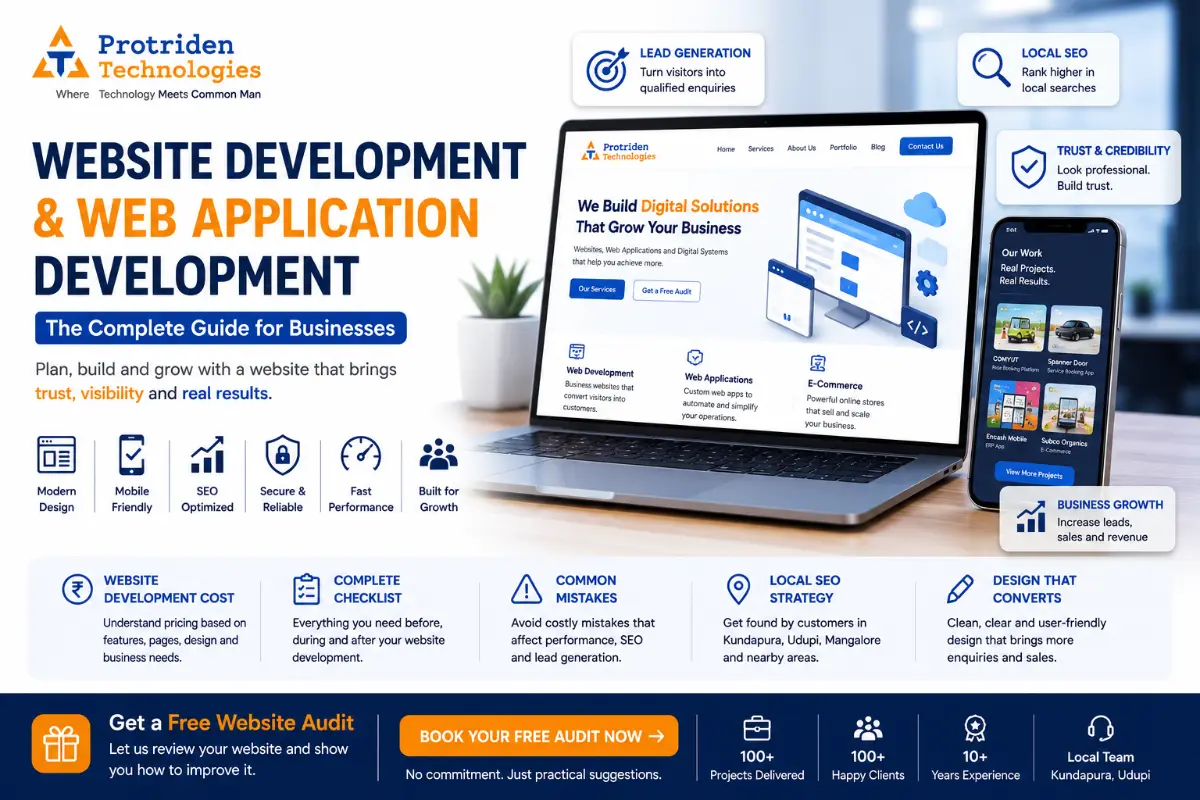
Website Development and Web Application Development Guide for Businesses
A website is no longer just an online visiting card.
For startups, new business owners, local businesses, service providers, ecommerce brands and growing companies, a website can become one of the most important business assets.
A good website helps people discover your business, understand your services, trust your brand and contact you easily.
A good web application goes one step further. It helps users log in, book services, place orders, track requests, manage data, view dashboards or complete business workflows online.
But many businesses make one common mistake.
They build a website only for design.
They do not plan for leads, local SEO, user experience, speed, mobile view, enquiry flow, admin control or future marketing.
This blog explains what business owners should know before starting website development or web application development.
It covers cost, checklist, design, common mistakes, local SEO and how Protriden Technologies helps businesses build practical digital systems that support growth.
What Is Website Development?
Website development means planning, designing, building and launching a website that represents your business online.
A business website usually includes pages such as:
- Home
- About
- Services
- Products
- Portfolio
- Case studies
- Blog
- Contact
- Enquiry form
- WhatsApp or call CTA
- Location and Google Map
A website is useful for businesses that want an online presence, Google visibility, service explanation and lead generation.
For example, a hospital, school, training institute, consultant, real estate business, local service provider, ecommerce brand, startup or manufacturing company can use a website to build trust and generate enquiries.
A professional website should not only look good.
It should also be fast, mobile-friendly, SEO-ready, clear, secure and easy for customers to use.
What Is Web Application Development?
Web application development is different from a normal website.
A website mainly shares information and generates enquiries.
A web application allows users to perform actions.
For example:
- Login
- Book services
- Manage orders
- Track requests
- Upload documents
- Make payments
- View reports
- Use dashboards
- Manage inventory
- Handle billing
- Access customer portals
- Use admin panels
A web application is useful when your business needs an online system, not just an online presence.
Examples of web applications include:
- Booking platforms
- Ecommerce systems
- ERP software
- CRM systems
- Admin panels
- Billing software
- Inventory management systems
- Student portals
- Healthcare dashboards
- Service management platforms
- SaaS products
If your business process is currently handled through Excel, WhatsApp, notebooks or repeated manual calls, a web application may help you organize operations better.
Website vs Web Application: What Should Your Business Build?
Many business owners are confused between a website and a web application.
Here is a simple way to decide.
Build a website if your goal is:
- Online presence
- Business credibility
- Service explanation
- SEO visibility
- Lead generation
- Contact enquiries
- Portfolio display
- Local discovery
- Digital marketing campaigns
Build a web application if your goal is:
- User login
- Online booking
- Customer dashboard
- Admin panel
- Payment tracking
- Staff workflow
- Order management
- Business automation
- Reports and analytics
- Custom business process management
Some businesses need both.
For example, a startup may need a website for marketing and a web application for users. A service business may need a website to attract leads and an admin panel to manage enquiries. An ecommerce business may need a public website, customer login, product management, order management, payment integration and reports.
This is why planning is important before development starts.
Why Website Development Matters for Startups and New Businesses
For a startup or new business, the website is often the first place people check.
Before calling you, many people visit your website to understand:
- Who you are
- What you offer
- Where you are located
- Whether you look professional
- Whether your services match their need
- Whether they can trust you
- How they can contact you
If the website is unclear, slow or poorly designed, visitors may leave without enquiring.
A good startup website should clearly explain the idea, problem solved, services or product, target users, benefits, pricing or enquiry flow, team credibility and contact option.
For startups, the website can also support:
Investor communication
- SEO visibility
- Product launch
- Waitlist collection
- App downloads
- Lead generation
- Content marketing
- Customer education
Your website should answer one important question quickly:
Why should someone trust this business?
Why Existing Businesses Need a Better Website
Many existing businesses already have a website.
But the website may not be helping them get enquiries.
Common problems include:
- Old design
- Poor mobile view
- Slow loading speed
- No clear CTA
- No WhatsApp button
- No enquiry form
- No service pages
- No location SEO
- No blog content
- No testimonials or portfolio
- No tracking setup
- No security updates
If your website does not generate calls, WhatsApp messages, form submissions or business enquiries, it needs improvement.
A website should support your sales and marketing.
It should not sit online without purpose.
Website Development Cost in India
Website development cost depends on the type of website, number of pages, design quality, content, SEO setup, integrations, admin panel and custom functionality.
Here are practical planning ranges.
A basic business website may cost around ₹25,000 to ₹80,000 depending on pages, design and content.
A professional business website with better design, SEO-ready structure, lead forms, WhatsApp CTA and content support may cost around ₹80,000 to ₹2,50,000.
An ecommerce website may cost around ₹1,50,000 to ₹5,00,000 or more depending on product management, payment gateway, shipping, coupons, customer login and admin features.
A custom web application or admin panel may start around ₹2,00,000 and can go higher depending on complexity.
A complex SaaS platform, marketplace, ERP or booking system may cost ₹5,00,000 to ₹20,00,000 or more depending on scope, users, roles, integrations, reports, cloud setup and security requirements.
These are only planning ranges.
The final cost depends on the actual requirement.
Before asking “How much does a website cost?”, it is better to define:
- What should the website do?
- How many pages are needed?
- Do you need SEO content?
- Do you need an admin panel?
- Do users need login?
- Do you need payment integration?
- Do you need ecommerce features?
- Do you need booking or automation?
- Who will update the website later?
- Do you need maintenance after launch?
A clear scope gives a better cost estimate.
Main Factors That Affect Website Development Cost
Website cost is not based only on design.
Several factors affect the final price.
1. Number of Pages
A 5-page website costs less than a 30-page website. Common pages include home, about, services, contact, portfolio and blog. For SEO, businesses may also need separate service pages and location pages.
2. Design Quality
A template-based website may cost less. A custom-designed website with proper branding, UI/UX and conversion planning will cost more. Good design helps build trust and guide users toward action.
3. Content Writing
A website needs clear content. If you do not already have content, the development team may need to help with service copy, homepage messaging, CTA text, blog structure and SEO content. Good content improves trust and search visibility.
4. SEO Setup
SEO-ready development includes proper page titles, meta descriptions, heading structure, clean URLs, image alt text, internal links, sitemap, robots.txt and mobile-friendly structure. If your goal is organic traffic, SEO should be planned during development, not after launch.
5. Custom Features
Features like login, dashboard, booking, payment, product management, reports, API integration or staff access increase development cost. These features move the project from a simple website to a web application.
6. Admin Panel
An admin panel allows your team to manage website content, enquiries, products, orders, bookings or reports. A good admin panel saves time and reduces dependency on developers for small updates.
7. Hosting and Security
Websites need hosting, SSL, backups, malware protection, security updates and monitoring. Low-cost hosting may work for small sites, but growing businesses need reliable infrastructure.
8. Maintenance and Support
A website is not finished after launch. It needs updates, bug fixes, security checks, content updates, speed improvements and performance monitoring. Maintenance should be discussed before starting the project.
Website Development Checklist for Businesses
Before building a website, use this checklist.
Business Clarity Checklist
Define your business goal. Are you trying to generate leads, sell products, build trust, collect enquiries, promote services or support digital marketing?
Define your target audience.
Who should visit your website? Local customers, startups, corporate clients, students, patients, buyers, vendors or service users?
Define your primary CTA.
Should visitors call, WhatsApp, fill a form, book a consultation, download an app or request a quote?
Content Checklist
Prepare your company introduction.
List your services clearly.
Prepare product or service details.
Collect portfolio or project proof.
Prepare team or founder information.
Collect client testimonials if available.
Prepare FAQs.
Prepare contact details.
Prepare business location and service areas.
Design Checklist
Use a clean layout.
Keep mobile view first.
Use readable fonts.
Use brand colors consistently.
Use clear CTA buttons.
Avoid cluttered pages.
Use real images where possible.
Add trust sections.
Make contact options easy.
Keep forms simple.
SEO Checklist
Use one clear H1 per page.
Add proper meta title and meta description.
Use service keywords naturally.
Create separate pages for important services.
Add local keywords where relevant.
Use descriptive URLs.
Add image alt text.
Add internal links.
Create sitemap.xml.
Submit important pages to Google Search Console.
Connect Google Analytics or tracking.
Technical Checklist
Use responsive design.
Optimize loading speed.
Add SSL certificate.
Set up secure hosting.
Create backups.
Check form submissions.
Test WhatsApp and call buttons.
Test all links.
Test on mobile and desktop.
Set up basic security.
Check browser compatibility.
Launch Checklist
Review all pages.
Check spelling and grammar.
Test enquiry forms.
Test payment gateway if applicable.
Test admin panel.
Check mobile layout.
Check SEO metadata.
Submit sitemap.
Connect Search Console.
Announce launch on social media.
Update Google Business Profile.
Common Website Development Mistakes
Many businesses spend money on websites but still do not get enquiries.
Here are common mistakes to avoid.
Mistake 1: Designing Only for Looks
A beautiful website is not enough.
The website should guide visitors toward action.
If users do not understand what you offer or how to contact you, the design is not working.
Good design should support clarity, trust and conversion.
Mistake 2: Not Making the Website Mobile-Friendly
Most users check websites from mobile phones.
If your website looks broken on mobile, loads slowly or has difficult navigation, users may leave.
Mobile-friendly design is not optional.
It is a basic requirement.
Mistake 3: No Clear Call-to-Action
Every page should guide the user.
Examples:
Call Now
WhatsApp Us
Book a Free Consultation
Request a Quote
Get a Free Website Audit
View Our Services
Without CTA buttons, users may not take the next step.
Mistake 4: Weak Homepage Message
Your homepage should quickly explain:
What you do
Who you help
What problem you solve
Why people should trust you
How they can contact you
Do not make visitors search for basic information.
Mistake 5: No SEO Planning
Many websites are built first and SEO is added later.
This creates problems.
SEO should be planned from the beginning.
Service pages, local keywords, blog structure, URLs, headings and internal links should be part of the development plan.
Mistake 6: Ignoring Local SEO
If your business serves a local area, local SEO is very important.
A business in Udupi, Kundapura, Mangalore, Manipal or nearby locations should clearly mention service areas.
Your website should connect with your Google Business Profile and include location-based service content.
Mistake 7: No Trust Elements
Visitors need proof before contacting you.
Add trust elements such as:
Portfolio
Case studies
Client logos if approved
Testimonials if available
Team details
Office location
Business experience
Service process
FAQs
Trust reduces hesitation.
Mistake 8: No Tracking
If you do not track website performance, you will not know what is working.
Set up tracking for:
Website visits
Form submissions
WhatsApp clicks
Call clicks
Blog traffic
Service page traffic
Lead sources
This helps improve marketing decisions.
Local SEO for Business Websites
Local SEO helps your business appear when people search for services near their location.
For example:
Website development company in Udupi
Web application development company in Kundapura
SEO company in Mangalore
Digital marketing company near me
Ecommerce website development Karnataka
If you are targeting local customers, your website should support local search visibility.
Local SEO Checklist
Add your business name, address and phone number clearly.
Mention service areas naturally.
Create service pages for important offerings.
Add location-based content where useful.
Connect your website to Google Business Profile.
Add Google Map on the contact page.
Use local keywords in page titles and content.
Publish blogs for local business problems.
Add FAQs related to local services.
Collect and respond to Google reviews.
Keep your contact details consistent everywhere.
For local businesses, the website and Google Business Profile should work together.
Your website builds deeper trust.
Your Google Business Profile helps people find and contact you quickly.
Website Design Tips That Improve Enquiries
Design should make decision-making easy.
Here are practical website design tips.
Keep the First Screen Clear
When users land on your website, they should immediately understand what you do.
The first screen should include:
Clear headline
Short explanation
Primary CTA
Trust element
Relevant image or visual
Use Simple Navigation
Do not confuse users with too many menu items.
A simple navigation can include:
Home
About
Services
Portfolio
Blogs
Contact
For larger websites, use dropdowns carefully.
Use Service-Specific Sections
Do not combine all services into one small paragraph.
Create clear sections for each service.
For example:
Website Development
Web Application Development
Mobile App Development
ERP Software
Cloud and DevOps
SEO and Digital Marketing
Each service should explain the problem, solution and next step.
Add Contact Options in Multiple Places
Do not keep contact details only at the bottom.
Add CTA buttons across the website.
Use WhatsApp, phone, email and enquiry form where relevant.
Make Forms Short
Long forms reduce enquiries.
For most websites, ask only:
Name
Phone
Service required
Message
More details can be collected later.
Use Real Business Proof
Screenshots, project examples, process images, office images and team photos build trust.
Avoid using only generic stock images.
How Website Development Supports Digital Marketing
A website is the foundation of digital marketing.
Without a good website, your SEO, Google Ads, social media and email marketing may not convert properly.
Digital marketing brings visitors.
The website converts them into enquiries.
A marketing-ready website should include:
Landing pages
Service pages
Blog section
Lead forms
CTA buttons
Tracking setup
Fast loading
Mobile-friendly design
SEO structure
Conversion-focused content
If your business is planning SEO or paid ads, fix the website first.
A weak website can waste marketing budget.
When Do You Need a Custom Web Application?
You may need a custom web application if your business has repeated manual work.
Signs you need a web application:
You manage work through Excel and WhatsApp.
Your team repeats the same task every day.
You cannot track orders or bookings properly.
You do not have clear reports.
Customers keep calling for status updates.
Staff access needs to be controlled.
You need online payments.
You need customer login.
You need dashboards.
You need business automation.
A custom web application can help organize your workflow and reduce manual effort.
Examples include:
Service booking platform
Billing system
Inventory dashboard
CRM
ERP
Customer portal
Vendor management system
Admin panel
Reporting dashboard
A good web application should be built around your actual business process.
Why Choose Protriden Technologies for Website and Web Application Development?
Protriden Technologies helps startups, new business owners, local businesses and SMEs build practical digital systems.
The focus is not only on design.
The focus is on building websites and web applications that support business goals.
Protriden Technologies can help with:
Business website development
Web application development
Ecommerce website development
Landing page development
Admin panel development
Dashboard development
Custom software development
SEO-ready website structure
Local SEO support
Cloud hosting and deployment
Security-focused development
Website maintenance and support
Digital marketing support
For new businesses, Protriden helps create a strong online presence.
For existing businesses, Protriden helps improve outdated websites and support lead generation.
For startups, Protriden helps plan websites, MVPs, web applications, backend systems and admin panels.
For SMEs, Protriden helps move manual workflows into digital systems.
Practical Example
Imagine a local service business.
The business currently gets enquiries through phone, WhatsApp and walk-ins.
There is no website or the existing website is outdated.
Customers cannot clearly understand services, pricing, service areas or contact options.
The owner wants more leads from Google.
In this case, the business may need:
A mobile-friendly website
Service pages
Local SEO content
Google Business Profile optimization
WhatsApp CTA
Lead form
Portfolio or proof section
FAQ section
Blog content
Tracking setup
Now imagine the same business also wants customers to book services online and track status.
Then it may need a web application with:
Customer login
Booking system
Admin panel
Staff assignment
Payment tracking
Reports
Notifications
This is the difference between a website and a web application.
The right solution depends on the business goal.
Final Thoughts
Website development is not only about creating pages.
Web application development is not only about writing code.
Both should solve business problems.
A good website helps your business get discovered, build trust and generate enquiries.
A good web application helps your business manage users, orders, bookings, reports and workflows online.
Before building a website or web application, be clear about your goal, audience, features, design, SEO, cost, hosting and support.
Do not build only for appearance.
Build for clarity, trust, speed, search visibility and conversion.
If you are planning a business website, ecommerce website, startup website, web application or admin panel, Protriden Technologies can help you choose the right development path.
FAQs
1. What is the difference between website development and web application development?
Website development focuses on building informational or marketing websites that explain your business and generate enquiries. Web application development focuses on building interactive systems where users can log in, book, order, pay, manage data, view dashboards or complete workflows.
2. How much does website development cost in India?
A basic business website may cost around ₹25,000 to ₹80,000. A professional SEO-ready website may cost ₹80,000 to ₹2,50,000. Ecommerce websites and custom web applications may cost more depending on features, design, admin panel, payment gateway, hosting and integrations.
3. What should a business website include?
A business website should include a clear homepage, about page, service pages, contact page, enquiry form, WhatsApp or call CTA, mobile-friendly design, SEO metadata, fast loading, trust elements, portfolio or case studies, FAQs and tracking setup.
4. Why is local SEO important for a business website?
Local SEO helps your business appear for location-based searches such as “website development company in Udupi” or “service provider near me.” It helps local customers find your business through Google Search and Google Maps.
5. What are common website development mistakes?
Common mistakes include poor mobile design, no clear CTA, slow loading speed, weak content, no SEO setup, no service pages, no local keywords, no trust elements, no tracking and no post-launch maintenance plan.
6. Does every business need a web application?
No. Some businesses only need a website. A web application is useful when your business needs user login, online booking, payments, dashboards, reports, admin panel, staff workflow, inventory, billing or automation.
7. Can Protriden Technologies build both website and web application?
Yes. Protriden Technologies supports website development, web application development, ecommerce platforms, admin panels, dashboards, custom software, cloud setup, SEO and digital marketing support.
8. Should SEO be done before or after website development?
SEO should be planned during website development. Page structure, URLs, headings, metadata, internal links, mobile performance and content should be SEO-ready before launch.
Planning to Build or Improve Your Website?
Your website should not only look good.
It should help people understand your business, trust your services and contact you easily.
At Protriden Technologies, we help startups, new business owners, local businesses and SMEs build websites and web applications that support growth.
We can help with:
Website development
Web application development
Ecommerce development
Admin panels
Local SEO
Website redesign
Digital marketing support
Cloud hosting and maintenance