
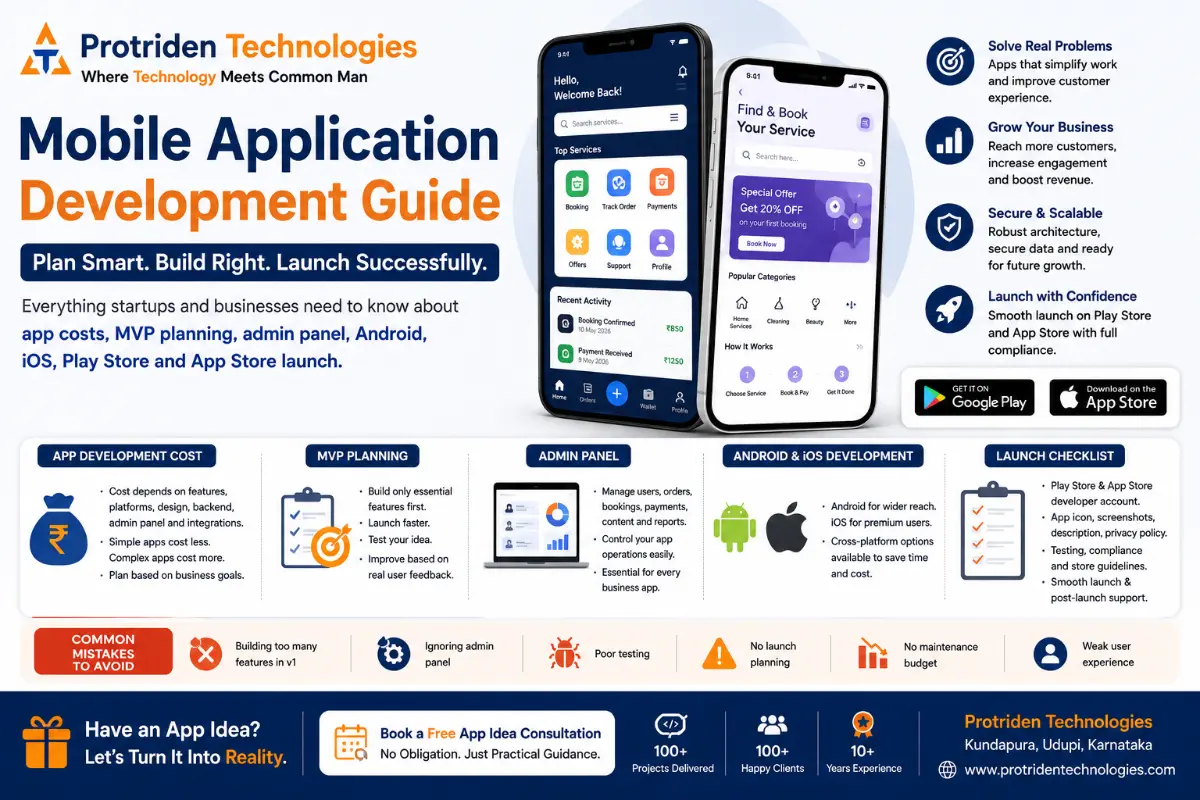
Mobile Application Development Guide: App Cost, MVP Planning, Admin Panel and Launch Checklist
Mobile application development is one of the most important decisions for startups, new business owners and growing companies that want to serve customers digitally.
A mobile app can help your business accept bookings, manage orders, collect payments, send notifications, track users, improve customer experience and create a stronger digital presence.
But building a mobile app is not just about creating screens.
A successful mobile app needs planning, user flow, backend development, admin panel, testing, Play Store launch, App Store launch, cloud setup, security, maintenance and continuous improvement.
Many founders and business owners start with one question:
“How much does it cost to build an app?”
That is an important question.
But before cost, you should ask:
What problem will the app solve?
Who will use the app?
What should be built in the first version?
Will the app need an admin panel?
Will it be Android only, iOS only or both?
How will the app be launched and maintained?
This blog explains mobile application development in a practical way for startups, new business owners, existing businesses and companies planning digital growth.
What Is Mobile Application Development?
Mobile application development is the process of planning, designing, building, testing and launching mobile apps for Android, iOS or both platforms.
A mobile app can be built for customers, employees, vendors, delivery partners, service providers, students, patients, business owners or internal teams.
Common types of mobile apps include:
Booking apps
Ecommerce apps
Delivery apps
Service provider apps
Healthcare apps
Education apps
ERP mobile apps
CRM apps
Staff management apps
Customer support apps
Marketplace apps
SaaS product apps
Business workflow apps
A mobile app is useful when users need regular access to your business from their phone.
For example, if users need to log in, book, order, pay, track, chat, receive notifications or manage their account, a mobile app can be useful.
Why Mobile Apps Matter for Startups and Businesses
A mobile app can make your business more accessible.
People use mobile phones for almost everything today: shopping, booking, communication, payments, learning, tracking and support.
For startups, a mobile app can help test a new business idea.
For local businesses, an app can improve customer convenience.
For existing businesses, an app can reduce manual follow-ups and improve service delivery.
For SMEs, a mobile app can support internal operations, staff tasks, customer management and reporting.
A mobile app can help businesses:
Improve customer experience
Reduce manual work
Accept online bookings
Manage orders and payments
Send push notifications
Build customer loyalty
Track user activity
Improve communication
Support digital marketing campaigns
Create a scalable digital product
But the app should be built with a clear goal.
Do not build an app only because competitors have one.
Build an app when it solves a real business problem.
Mobile App Development Cost in India
Mobile app development cost depends on the scope.
There is no single fixed price for every app.
A simple app costs less.
A multi-role app with backend, admin panel, payment gateway, notifications, reports and cloud setup costs more.
Here are practical planning ranges:
A basic mobile app with simple screens may start from around ₹1.5 lakh to ₹3 lakh.
A startup MVP app with login, basic features, backend and admin panel may cost around ₹3 lakh to ₹8 lakh.
A full business app with Android, iOS, backend, admin panel, payment gateway, notifications and reports may cost around ₹8 lakh to ₹20 lakh.
A complex marketplace, delivery app, booking platform, SaaS app or ERP mobile app may cost ₹20 lakh or more depending on features, integrations, scalability and security requirements.
These are only planning ranges.
The final cost depends on:
Number of user roles
Android, iOS or both platforms
UI/UX design complexity
Backend development
Admin panel requirements
Database structure
Payment gateway
Notifications
Maps or location tracking
Chat features
Reports and dashboards
API integrations
Cloud hosting
Security requirements
Testing effort
Maintenance and updates
Instead of asking only “What is the cost?”, founders should first prepare a clear feature list and business flow.
A good development team can then suggest the right MVP scope and phased development plan.
What Is MVP in Mobile App Development?
MVP means Minimum Viable Product.
An MVP is the first usable version of your app with only the most important features.
The goal of MVP development is not to build everything.
The goal is to launch faster, test the idea, collect user feedback and improve based on real users.
For example, if you are building a service booking app, the MVP may include:
Customer registration
Service listing
Booking request
Payment or payment status
Admin panel
Booking management
Basic notifications
Advanced features like loyalty points, referral system, AI recommendations, advanced analytics and multi-language support can come later.
This approach helps startups reduce risk.
Why Startups Should Build an MVP First
Many startup founders want to build a full app with every feature from day one.
This can increase cost, delay launch and create confusion.
MVP planning helps you focus on the most important user journey.
A good MVP helps you:
Launch faster
Reduce initial cost
Test market demand
Collect real feedback
Avoid unnecessary features
Present the product to investors or partners
Understand user behaviour
Improve the app step by step
For startups, the first version should answer one question:
Can users complete the main action successfully?
If the answer is yes, the MVP can be improved in future phases.
Mobile App Feature Planning Checklist
Before development starts, divide features into three categories.
Must-Have Features
These are required for the app to work.
Examples:
User registration
Login
Profile
Core service or product listing
Booking or order flow
Payment or payment status
Basic notifications
Admin panel
Basic reports
Support contact
Good-to-Have Features
These improve the app but may not be required in version one.
Examples:
Coupons
Referral system
Ratings and reviews
Advanced filters
Chat support
Wallet
Multi-language support
Advanced analytics
Future Features
These can be planned after launch.
Examples:
AI recommendations
Loyalty programs
Vendor app
Delivery partner app
Subscription model
Marketing automation
Advanced dashboards
Third-party CRM integration
This feature separation helps control cost and timeline.
Why Every Mobile App Needs an Admin Panel
Many business owners focus only on the customer-facing mobile app.
But the admin panel is equally important.
The admin panel is where the business team manages app operations.
Without an admin panel, your team may struggle to manage users, orders, bookings, payments, content and reports.
A good admin panel can help manage:
Users
Customers
Vendors
Products
Services
Bookings
Orders
Payments
Coupons
Notifications
Content
Support requests
Reports
Staff access
Roles and permissions
For example, if you build a booking app, the admin panel should allow your team to view bookings, approve requests, assign staff, update status, track payments and generate reports.
A mobile app without admin control may look good but become difficult to operate.
Android App Development
Android app development focuses on building mobile apps for Android phones and tablets.
Android is important because many users in India use Android devices.
An Android app may be useful if your target customers are local users, mass-market users, service customers, delivery partners, field staff, students or small business users.
Android development planning should include:
Device compatibility
Screen size support
Performance optimization
Push notifications
Play Store policy compliance
Permission handling
Security
Testing on multiple devices
Play Store listing assets
API level and update requirements
For many startups, Android development is the first launch platform because it can help reach a wider user base.
iOS App Development
iOS app development focuses on building apps for iPhone and iPad users.
iOS may be important if your target users include premium customers, urban users, business users, professionals, international customers or markets where iPhone usage is strong.
iOS development planning should include:
Apple design guidelines
Performance testing
App Store Review compliance
Privacy permissions
TestFlight testing
App Store screenshots
App description
In-app purchase rules if applicable
Apple Developer account setup
Review and approval process
If your business wants to reach both Android and iOS users, you should plan the app architecture from the beginning.
Native vs Cross-Platform App Development
Mobile apps can be built using native or cross-platform development.
Native Android apps are usually built specifically for Android.
Native iOS apps are built specifically for Apple devices.
Cross-platform apps use a shared codebase for Android and iOS.
For startups and MVPs, cross-platform development can be practical because it can reduce development time and help launch on both platforms faster.
For some apps, native development may be better if the app needs high device-level performance, advanced hardware features or platform-specific capabilities.
The right choice depends on:
Budget
Timeline
App complexity
Target users
Performance needs
Maintenance plan
Future scalability
A good development partner will not recommend technology only because it is popular.
They should recommend technology based on your business requirement.
Backend Development for Mobile Apps
The backend is the system that powers your mobile app.
It handles data, users, APIs, payments, notifications, admin panel and business logic.
A mobile app without a proper backend cannot support serious business operations.
Backend development may include:
User management
Authentication
Database
APIs
Payment gateway
Order management
Booking logic
Notifications
File storage
Reports
Security
Admin panel connection
Third-party integrations
For example, when a customer places an order in the app, the backend stores the order, updates the admin panel, triggers notification and keeps the data available for reports.
Backend planning is one of the most important parts of mobile application development.
Play Store Launch Checklist
Launching an Android app on Google Play requires more than uploading the app file.
Before Play Store launch, prepare:
Google Play Console account
App name
App icon
App screenshots
Feature graphic
App description
Short description
Privacy policy URL
Data safety information
App category
Content rating
Target audience details
Testing release
Production build
Signed app bundle
Store listing
Policy compliance
Contact email
Website URL if available
Also test the app properly before launch.
Check:
Login
Registration
Main user flow
Payment flow
Notifications
API calls
Error handling
Mobile responsiveness
App permissions
Crash reports
Admin panel connection
A rejected or delayed launch can affect your marketing plan, so launch preparation should start early.
App Store Launch Checklist
Launching an iOS app on the Apple App Store also needs proper preparation.
Before App Store launch, prepare:
Apple Developer account
App Store Connect setup
App name
Bundle ID
App icon
Screenshots for required devices
App description
Keywords
Privacy policy
App privacy details
Age rating
Support URL
Marketing URL if available
TestFlight testing
Build upload
Review notes
Demo credentials if login is required
Compliance details
Release plan
Apple reviews apps before approval, so the app should be stable, useful, clear and compliant.
If the app has login, payment, location tracking, health data, user-generated content or third-party services, the review process should be planned carefully.
Common Mobile App Development Mistakes
Many app projects fail because of poor planning, not because of coding.
Here are common mistakes to avoid.
Mistake 1: Building Too Many Features First
Trying to build everything in version one increases cost and delays launch.
Start with MVP.
Mistake 2: Ignoring the Admin Panel
Without admin control, the business team cannot manage operations properly.
Plan the admin panel from the beginning.
Mistake 3: No Clear Business Model
Before development, decide how the app will make money.
Examples:
Commission
Subscription
Service fee
Product sales
Booking charges
Premium features
Advertising
Mistake 4: Poor UI/UX Planning
If users do not understand the app, they will stop using it.
Design should make the main action simple.
Mistake 5: No Testing Plan
Testing should include mobile devices, backend, admin panel, payments, notifications and edge cases.
Do not test only on one phone.
Mistake 6: Ignoring Store Guidelines
Play Store and App Store have submission requirements.
App launch should be planned from the start, not after development is complete.
Mistake 7: No Maintenance Budget
Apps need updates, bug fixing, security patches, store updates, server monitoring and performance improvements.
Maintenance is not optional.
Mobile App Development Timeline
The timeline depends on complexity.
A simple app may take 4 to 8 weeks.
A startup MVP with backend and admin panel may take 8 to 16 weeks.
A full app with multiple roles, payments, reports and store launch may take 3 to 6 months.
A complex marketplace, delivery platform, ERP app or SaaS product may take longer.
Timeline depends on:
Requirement clarity
UI/UX approval
Number of features
Backend complexity
Admin panel scope
Third-party integrations
Testing effort
Store review process
Client feedback speed
Clear planning reduces delays.
How Mobile Apps Support Digital Marketing
A mobile app can support digital marketing when it is connected to a proper customer journey.
Your website, SEO, social media, Google Business Profile, ads and content can bring users.
The mobile app can help retain them.
For example:
Website explains the service
SEO brings organic visitors
Social media builds awareness
Landing page collects leads
Mobile app improves customer experience
Push notifications bring users back
Analytics helps improve marketing
For startups and existing businesses, mobile app development should be connected with marketing strategy.
Building an app is only one part.
Getting users to download and use it is equally important.
How Protriden Technologies Helps With Mobile Application Development
Protriden Technologies helps startups, new businesses and existing businesses plan and build practical mobile applications.
The team supports the complete app development lifecycle, including:
App idea discussion
MVP planning
UI/UX design
Android development
iOS development
Cross-platform app development
Backend development
Admin panel development
API integration
Payment gateway integration
Cloud setup
Testing
Play Store launch
App Store launch
Post-launch maintenance
SEO and digital marketing support
The focus is simple:
Build what your business actually needs first.
Then improve based on users, feedback and growth.
Whether you are planning a booking app, ecommerce app, service app, ERP mobile app, healthcare app, education app, delivery app or custom startup product, Protriden Technologies can help you plan the right development path.
Final Thoughts
Mobile application development is not only about building an Android or iOS app.
It is about solving a business problem through a digital product.
Before building your app, define the problem, target users, MVP features, admin panel, backend, budget, launch plan and maintenance strategy.
Do not rush into full development without clarity.
Start with a practical MVP.
Launch with the most important features.
Collect real feedback.
Improve step by step.
If you are planning a mobile app for your startup, business or existing customer base, Protriden Technologies can help you understand the right approach before development starts.
FAQs
1. What is mobile application development?
Mobile application development is the process of planning, designing, developing, testing and launching apps for Android, iOS or both platforms. It includes frontend app development, backend, admin panel, APIs, testing and store deployment.
2. How much does mobile app development cost in India?
Mobile app development cost depends on features, platforms, backend, admin panel, design, payment gateway, integrations, cloud setup and maintenance. A simple app costs less, while a full app with multiple roles and admin panel costs more.
3. What is MVP app development?
MVP app development means building the first usable version of the app with only the most important features. It helps startups launch faster, reduce cost and test the idea with real users.
4. Why does a mobile app need an admin panel?
An admin panel helps the business team manage users, orders, bookings, payments, notifications, reports and app content. Without an admin panel, app operations become difficult after launch.
5. Should I build Android or iOS first?
It depends on your target audience. If most users are Android users, start with Android. If your target audience uses iPhone, iOS may be important. Many startups choose cross-platform development to support both.
6. How long does it take to build a mobile app?
A simple app may take a few weeks. A startup MVP with backend and admin panel may take a few months. A complex app with multiple roles, integrations and store launch can take longer.
7. What is needed for Play Store launch?
You need a Google Play Console account, app bundle, icon, screenshots, description, privacy policy, data safety details, content rating, app category, testing, and policy compliance.
8. What is needed for App Store launch?
You need an Apple Developer account, App Store Connect setup, app build, screenshots, description, privacy details, age rating, support URL, TestFlight testing, review notes and compliance details.
9. Can Protriden Technologies develop mobile apps for startups?
Yes. Protriden Technologies supports startup app development, MVP planning, Android development, iOS development, backend development, admin panels, cloud setup, testing, launch and post-launch support.
10. Does Protriden Technologies help after app launch?
Yes. Protriden Technologies provides post-launch support such as bug fixing, updates, performance improvements, app store updates, security updates, cloud support and maintenance.
Planning to Build a Mobile App?
Do not start with confusion.
At Protriden Technologies, we help startups, new business owners and growing companies plan the right mobile app before development starts.
We can help with:
Mobile app idea discussion
MVP planning
Android app development
iOS app development
Admin panel development
Backend and API development
Play Store launch
App Store launch
Cloud setup
Post-launch support
Book a free app idea consultation with Protriden Technologies.