
Location-based applications look simple from the outside.
A user opens the app.
The app detects location.
The user searches for a pickup point.
The app shows nearby places.
The system calculates distance.
The driver or delivery partner gets a route.
The customer tracks movement on the map.
But behind this simple experience, the application may be making many paid API calls.
For startups, B2B SaaS companies, product companies, cab booking platforms, delivery apps, logistics platforms and service booking apps, Google Maps billing can become a serious cost problem if the application is not planned carefully.
The mistake many teams make is this:
They integrate Google Maps first and think about billing later.
That approach can become expensive.
Google Maps Platform pricing is based on a pay-as-you-go model using different SKUs for Maps, Routes, Places and other services. Pricing depends on the API, the feature used, and the number of monthly billable events. Google also provides pricing calculators, SKU details and usage information to help estimate cost before development.
So, reducing Google Maps billing is not about avoiding maps completely.
It is about using maps intelligently.
A well-planned location-based app should answer these questions before development starts:
Which Google Maps APIs are actually needed?
Which screens need interactive maps?
Which screens can use static maps?
How often should route calculation happen?
How often should location update happen?
Can some data be handled through our own backend?
Can API calls be reduced through better user flow?
Can billing alerts and quotas prevent surprises?
Are API keys restricted properly?
Are we using the right pricing category for each use case?
This blog explains how to reduce Google Maps billing when developing location-based mobile applications and web applications.
Why Google Maps Billing Increases in Location-Based Projects
Google Maps cost usually increases because of repeated and unnecessary API calls.
In many projects, the application calls APIs more often than required.
For example:
Autocomplete runs on every typed character.
Route API is called every few seconds.
Distance calculation happens repeatedly for the same locations.
Maps load on screens where users do not need interaction.
A dynamic map is loaded when a static map is enough.
Place Details returns too much data.
The same API key is used across web, Android, iOS and backend.
No quota limits are configured.
No budget alerts are configured.
Developers test production keys without limits.
Bots or unauthorized users abuse exposed API keys.
This becomes a business problem.
For a taxi app, delivery app, field service app, logistics dashboard or real estate map platform, maps can become one of the major operational costs.
If the app grows, the cost grows too.
This is why Google Maps cost optimization should be part of architecture planning, not only post-launch maintenance.
Understand Google Maps Billing Before Development
The first step is to understand what you are being billed for.
Google Maps Platform has different pricing categories for Maps, Routes, Places and other APIs. Each service has its own SKU and pricing model. For example, Google’s pricing page lists separate SKUs for Dynamic Maps, Static Maps, Routes, Route Matrix, Autocomplete, Geocoding and Place Details.
A developer should not treat “Google Maps API” as one single cost.
The cost may come from many areas:
Map loads
Static map images
Autocomplete requests
Place Details requests
Geocoding requests
Reverse geocoding requests
Route calculation
Route matrix elements
Traffic-aware routing
Nearby search
Text search
Roads API
Navigation SDK
Each one has a different cost pattern.
For example, according to Google’s current global pricing page, Dynamic Maps and Static Maps have different free usage caps and different prices after the free cap. Routes API Essentials and Geocoding also have their own pricing.
Before building, create a simple usage estimate:
How many users per day?
How many map screens per user?
How many pickup/drop searches per user?
How many route calculations per booking?
How many driver location updates per trip?
How many admin dashboard map views per day?
How many places searches per session?
This estimate helps you design the app with cost control from day one.
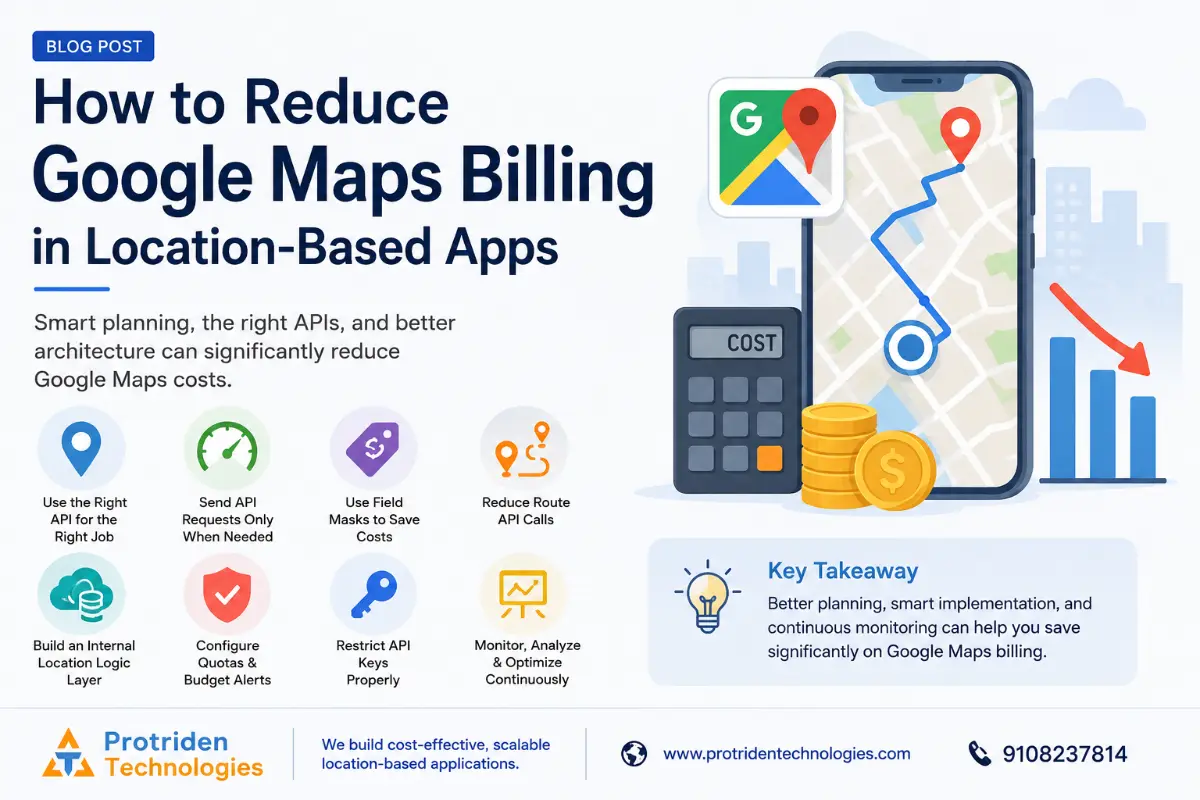
1. Use the Right API for the Right Job
Not every screen needs a full dynamic map.
Google itself recommends cost-efficient implementation strategies such as using Maps Static API when only a simple map display is needed, especially when the map has at most one marker and does not need user interaction. Google also recommends lazy-loading static thumbnails and opening a dynamic map only when the user interacts.
Practical examples:
Use a static map for order summary.
Use a static map for booking confirmation.
Use a static map for branch location preview.
Use a dynamic map only when the user needs to move, zoom, select or track.
This simple decision can reduce unnecessary dynamic map loads.
For a location-based app, you can divide map usage like this:
Static display: Use static map or saved location image where permitted.
User selection: Use interactive map only when user selects location.
Live tracking: Use dynamic map only during active trip or delivery.
Admin view: Load maps only when admin opens a specific booking or route.
Reports: Use table, coordinates or address text instead of loading maps everywhere.
The goal is not to remove maps.
The goal is to use maps only where maps create value.
2. Send API Requests Only When the User Takes Action
One major reason billing increases is automatic calls.
Google’s optimization guide recommends sending user-interaction requests only on demand. That means waiting for the user to perform an action, such as clicking, before making an API request. This avoids unnecessary API consumption.
For example:
Do not calculate route while the user is still typing.
Do not call Places API on every page load.
Do not refresh route every second if the route has not changed.
Do not load map data before the user opens the map section.
Do not fetch Place Details unless the user selects a place.
A better flow is:
User types pickup location.
Autocomplete suggestions appear with controlled debounce.
User selects one suggestion.
Only then call Place Details or geocoding if needed.
Only then calculate route.
This reduces waste.
3. Use Autocomplete Sessions Correctly
Autocomplete can become expensive if not implemented properly.
Google recommends using sessions with Autocomplete because sessions simplify pricing and provide a consistent pricing model. A session starts with the first Autocomplete request containing a session token and ends with a Place Details or Address Validation request using the same token. Without sessions, each Autocomplete request is billed individually, and incomplete sessions are billed per request.
Practical implementation:
Create a session token when the user starts searching.
Reuse the same token for autocomplete suggestions in that search flow.
Terminate the session when the user selects a place and details are fetched.
Do not create a new session token for every keystroke.
Do not leave sessions incomplete unnecessarily.
For apps with pickup and drop selection, use separate clean sessions for pickup and drop search.
This helps control Places API billing.
4. Use Field Masks to Avoid Paying for Unnecessary Data
Many APIs return more data than your app actually needs.
For Places API, Google requires developers to specify which fields should be returned for Place Details, Nearby Search and Text Search. Google states that field masking avoids unnecessary data, processing time and billing charges. It also warns against using the wildcard * field mask in production because it can increase cost and latency.
For Routes API, Google also recommends response field masks. Requesting all fields in production can result in higher costs and longer response times; requesting only required fields helps avoid unnecessary processing time and billed charges.
Example:
If your app only needs place name and address, do not request ratings, photos, reviews, opening hours and business metadata.
If your route screen only needs distance and duration, do not request detailed route steps, toll data, polyline and advanced fields unless needed.
For a startup MVP, this is very important.
Build with minimum required fields first.
Add advanced fields only when the business need is clear.
5. Reduce Route API Calls
Route calculation can become expensive in delivery, cab booking, logistics and field service apps.
Google’s Routes API billing depends on the service and features used. Compute Routes is billed per request, while Compute Route Matrix is billed per element, where the number of elements is origins multiplied by destinations. Google also states that advanced features like traffic-aware routing can move requests into higher SKU categories.
This means route matrix calls need careful planning.
For example:
10 drivers × 10 customers = 100 route matrix elements.
If this happens frequently, cost can rise quickly.
Better strategy:
Use rough distance filtering first.
Shortlist nearby drivers internally.
Call Routes API only for the top few candidates.
Do not calculate route for every driver every time.
Do not call route matrix repeatedly when the driver list has not changed.
Do not use traffic-aware routing unless it is actually required.
Avoid waypoint optimization unless the business use case needs it.
Google’s cost management guide also says requests with more than 10 waypoints can be billed at a higher rate, waypoint optimization can be billed at a higher rate, and real-time traffic models can also be billed at a higher rate.
So, for a delivery app or cab booking app, the backend should be designed to reduce route calculation frequency.
6. Build an Internal Location Logic Layer
This is where good software architecture matters.
A location-based app should not depend on Google Maps for every small decision.
Your backend can handle many basic calculations.
For example:
Store user pickup and drop coordinates.
Store driver last known location.
Calculate approximate distance using internal logic first.
Use geohashing or bounding boxes to shortlist nearby drivers or vendors.
Use your own database for serviceable areas.
Use polygons for delivery zones.
Use pincode/service-area rules before map calls.
Store frequently used business locations in your own database where allowed.
Use Google APIs only when accuracy or user-facing mapping is required.
This reduces third-party dependency.
It also gives more control over application behavior.
For example, in a food delivery app, you do not need Google Maps to check every restaurant for every customer on every screen. You can first filter based on pincode, zone, radius or saved service area.
Then use map APIs only where the user needs accurate selection, route or display.
7. Configure Quotas, Budget Alerts and Monitoring
Cost control is not only code.
It is also cloud governance.
Google Maps Platform provides options to manage consumption, including modifying quota limits, setting quota alerts, creating budgets and following cost-efficient implementation strategies. Google also states that quota limits help control API usage and prevent unexpected charges by capping the number of requests a project can make.
Important setup:
Set daily quota limits for each API.
Set separate quotas for development and production.
Set budget alerts for monthly spend.
Monitor unusual spikes.
Review which API key is using which API.
Disable APIs that are not needed.
Keep staging and testing projects separate.
Google also clarifies that budget alerts notify you but do not automatically cap usage or spending. So, for strict control, quotas must be configured separately.
This is important for startups.
A budget alert tells you something is going wrong.
A quota can stop usage before the bill becomes too high.
Both are needed.
8. Restrict API Keys Properly
Unrestricted API keys can create serious billing risk.
Google’s security guidance says API keys should be restricted to prevent unauthorized usage, and the account owner is financially responsible for charges caused by abuse of unrestricted API keys.
Best practice:
Use separate API keys for Android, iOS, web and backend.
Restrict Android keys by package name and SHA certificate.
Restrict iOS keys by bundle identifier.
Restrict web keys by allowed domains.
Restrict backend keys by server IP address where suitable.
Add API restrictions so each key can only access required APIs.
Delete unused keys.
Monitor key usage.
Do not reuse one key everywhere.
Google recommends restricting API keys with one type of application restriction and one or more API restrictions. It also explains that application restrictions can limit keys to Android, iOS, websites or server IP addresses, while API restrictions limit which Maps APIs the key can use.
This protects both security and billing.
9. Avoid Unnecessary Live Tracking Calls
Live tracking is useful in cab booking, logistics and delivery apps.
But live tracking can be expensive if implemented carelessly.
Common mistake:
Driver app sends location every second.
Customer app fetches route every few seconds.
Backend recalculates ETA continuously.
Admin dashboard loads all moving vehicles every few seconds.
Better approach:
Send driver location based on movement threshold.
Reduce update frequency when vehicle is not moving.
Use WebSocket or efficient real-time communication for your own location updates.
Recalculate route only when the driver deviates meaningfully.
Show approximate ETA between recalculations.
For admin dashboards, cluster vehicles and load details only on click.
Pause live tracking after trip completion.
The app should not call Google APIs for every GPS update.
Use your own backend for real-time movement.
Use Google Maps for display, route calculation and user-facing location intelligence only when needed.
10. Use Static, Cached or Stored Data Carefully
Caching can reduce repeated calls, but Google Maps Platform policies must be followed.
Google’s cost management guide says most Google Maps Platform products prohibit caching content, though some exceptions allow results to be cached for up to 30 days, and developers should refer to the platform terms for details.
So, the safe rule is:
Do not blindly cache Google Maps data permanently.
Instead, structure your application so you reduce unnecessary calls without violating terms.
Practical examples:
Store your own business location data.
Store customer-provided addresses in your own database.
Store pickup/drop coordinates selected by the user for that order.
Use your own service-area logic.
Cache only where Google’s terms allow.
Use Place IDs correctly where applicable.
Avoid repeatedly geocoding the same user-entered address during the same business flow.
Always verify the current Google Maps Platform terms before designing caching.
11. Separate Development, Staging and Production Usage
Many teams unknowingly increase billing during development.
Developers test with production API keys.
QA repeatedly runs scripts.
Staging apps use production billing keys.
Bots hit public test URLs.
Load testing triggers paid APIs.
Better setup:
Create separate Google Cloud projects for development, staging and production.
Use separate API keys for each environment.
Set very low quotas for development.
Restrict staging keys.
Disable billing-heavy APIs in development if not needed.
Use mocked route and place data for automated testing.
Run load tests without calling paid map APIs repeatedly.
This reduces accidental billing and makes usage reports easier to understand.
How Protriden Solved Similar Cost and Dependency Problems in a Location-Based Project
One of Protriden Technologies’ relevant project examples is COMYUT, an online cab booking platform.
According to Protriden’s portfolio, COMYUT involved developing 2 mobile applications and a web application for online cab booking in collaboration with Gavion LLP. The project challenges included reducing cost spent on third-party services and ensuring the application did not have downtime. Protriden’s solution included developing services that minimized dependency on third-party services and implementing Kubernetes with blue-green deployment. The stated result was that the application could provide services at a lower cost to users and remain highly available with faster response time.
This is exactly the kind of thinking needed in location-based projects.
For a cab booking, delivery or logistics platform, third-party services should not be called blindly for every operation.
The system should be designed with:
Backend-controlled location logic
Reduced third-party dependency
Cloud and deployment reliability
Scalable infrastructure
Careful routing decisions
Availability planning
Monitoring and optimization
Cost-aware architecture
Important note: The portfolio does not disclose exact Google Maps billing numbers for COMYUT, so this blog does not claim a specific Google Maps cost reduction percentage.
But the project proves one important capability:
Protriden understands how to build location-based platforms where cost, third-party dependency, performance and uptime matter.
Google Maps Billing Reduction Checklist for Startups
Before launching a location-based app, use this checklist.
API Planning Checklist
List all map-related screens.
Identify which APIs each screen needs.
Use static maps where interaction is not needed.
Use dynamic maps only for active user interaction.
Use Places only where search or place data is required.
Use Routes only where route calculation is required.
Avoid advanced features unless needed.
Architecture Checklist
Build internal service-area logic.
Use backend filtering before route calculation.
Shortlist drivers, vendors or branches internally.
Store app-owned location data.
Use geohash, pincode, zones or radius filters.
Do not depend on Google APIs for every decision.
Billing Safety Checklist
Set quotas per API.
Set budget alerts.
Use separate dev, staging and production projects.
Set lower quotas for testing.
Monitor API usage weekly.
Review billing by SKU.
Disable unused APIs.
Security Checklist
Use separate keys for web, Android, iOS and backend.
Restrict each key properly.
Apply API restrictions.
Monitor key usage.
Delete unused keys.
Rotate compromised keys carefully.
Avoid exposing server-side keys.
Development Checklist
Use debounce for autocomplete.
Use session tokens properly.
Use field masks.
Avoid wildcard * field masks in production.
Reduce route recalculation frequency.
Avoid excessive live tracking calls.
Use mock data for automated testing.
Common Mistakes That Increase Google Maps Billing
Mistake 1: Calling APIs on Every Keystroke Without Control
Autocomplete should be debounced and session-based. Otherwise, typing one address can create many billable requests.
Mistake 2: Using Dynamic Maps Everywhere
Not every screen needs an interactive map. Static maps or text-based location display may be enough.
Mistake 3: Recalculating Routes Too Often
Route should not be recalculated every second unless the use case truly needs it.
Mistake 4: Not Using Field Masks
Requesting unnecessary fields increases processing, response size and sometimes billing impact.
Mistake 5: No Quota Limits
Without quotas, a bug, bot or abuse can increase billing quickly.
Mistake 6: Unrestricted API Keys
Unrestricted keys can be abused, and the billing account owner is financially responsible for charges caused by unrestricted key abuse.
Mistake 7: Using Google Maps for Internal Logic That Your Backend Can Handle
Your app should not use paid map APIs for every internal decision. Build your own domain logic first.
How Protriden Technologies Helps With Google Maps Cost Optimization
Protriden Technologies helps startups, B2B SaaS companies and product teams plan location-based apps with cost-aware architecture.
We can help with:
Location-based mobile app development
Cab booking app architecture
Delivery app architecture
Route and distance planning
Google Maps API usage review
Google Maps billing optimization
Places API optimization
Routes API optimization
Driver/customer tracking logic
Backend location service design
Cloud infrastructure setup
Kubernetes and deployment planning
API key security review
Quota and billing alert setup
Performance and uptime planning
Our focus is not only to build the feature.
Our focus is to build the feature in a way that is practical, scalable and cost-aware.
For startups, this matters because every unnecessary third-party API call becomes a recurring operational cost.
For SaaS companies, this matters because cost control affects margins.
For product companies, this matters because scaling should not create billing surprises.
Final Thoughts
Google Maps is powerful.
But in location-based applications, power must be used carefully.
A poorly planned implementation can create unnecessary billing.
A well-planned implementation can reduce waste, improve performance and give the business better control.
To reduce Google Maps billing:
Choose the right API.
Use static maps where possible.
Load dynamic maps only when needed.
Use autocomplete sessions properly.
Use field masks.
Reduce route recalculation.
Build backend location logic.
Set quotas and budget alerts.
Restrict API keys.
Monitor usage by SKU.
Separate dev, staging and production.
If you are building a cab booking app, delivery platform, logistics dashboard, field service app, real estate map app or any location-based SaaS product, plan Google Maps billing before development starts.
That planning can save cost, reduce risk and make your product easier to scale.
FAQs
1. Why is Google Maps billing high in location-based apps?
Google Maps billing becomes high when apps make too many map loads, autocomplete requests, place detail calls, geocoding requests, route calculations, route matrix elements or live tracking-related calls without proper control.
2. How can startups reduce Google Maps API cost?
Startups can reduce cost by using the right API for each use case, using static maps where possible, debouncing autocomplete, using session tokens, using field masks, reducing route recalculation, setting quotas and building backend location logic.
3. Should every screen use a dynamic Google Map?
No. Many screens can use static maps, stored address text or coordinates. Dynamic maps should be used when the user needs interaction such as zooming, selecting, tracking or navigating.
4. What are Google Maps API quotas?
Quotas define the maximum number of requests allowed for a specific API or service within a timeframe. Google says quotas can help control usage and prevent unexpected charges, but setting them too low can affect your application.
5. Do Google Cloud budget alerts stop Google Maps billing automatically?
No. Google states that budget alerts notify you when costs reach certain thresholds, but they do not automatically cap usage or spending. Quota limits are needed if you want to restrict API usage.
6. How do field masks reduce Google Maps cost?
Field masks allow the app to request only the data it needs. Google says field masking helps avoid unnecessary data, processing time and billing charges, and warns against using wildcard * field masks in production.
7. What is the best way to handle autocomplete in Google Places API?
Use session tokens correctly. Google says an autocomplete session starts with the first request containing a session token and ends with a Place Details or Address Validation request using the same token. Without sessions, each autocomplete request is billed individually.
8. How can a cab booking app reduce route calculation cost?
A cab booking app can shortlist nearby drivers internally first, calculate routes only for selected candidates, avoid unnecessary traffic-aware routing, reduce recalculation frequency and avoid route matrix calls for too many origins and destinations.
9. Can Protriden Technologies help reduce Google Maps billing?
Yes. Protriden Technologies can review your location-based app flow, Google Maps API usage, route calculation logic, Places API usage, backend architecture, API key security, quota setup and cloud infrastructure to identify cost-saving opportunities.
10. Has Protriden worked on location-based platforms?
Yes. Protriden’s portfolio includes COMYUT, an online cab booking platform with 2 mobile applications and a web application. The project focused on reducing dependency on third-party services and maintaining high availability through Kubernetes and blue-green deployment.
Do not wait until Google Maps billing becomes a problem.
At Protriden Technologies, we help startups, SaaS companies and product teams build location-based mobile and web applications with practical, cost-aware architecture.
We can help with:
Google Maps API usage review
Google Maps billing optimization
Cab booking app development
Delivery app development
Location tracking architecture
Places API and Routes API planning
Backend location logic
API key security
Quota and budget alert setup
Cloud and DevOps planning
Performance optimization
Book a free location-based app cost review with Protriden Technologies.