
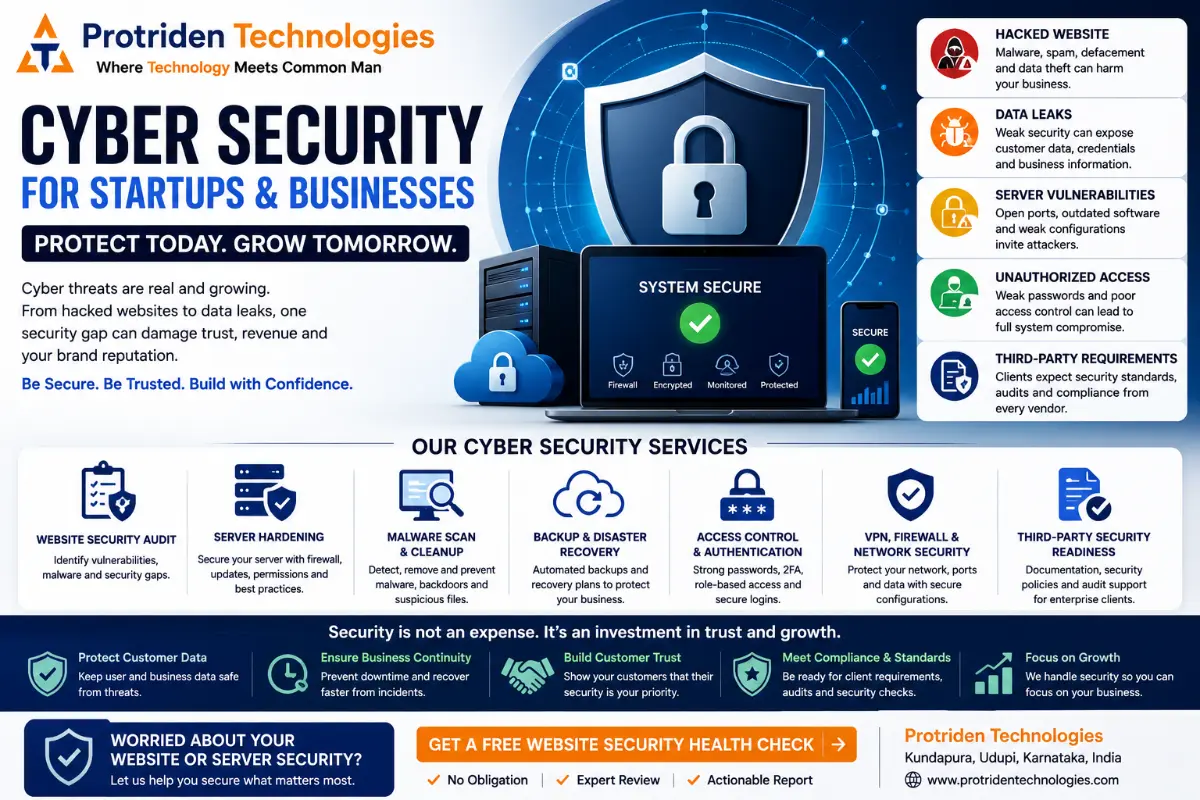
Cyber Security for Startups and Businesses: Website Security, Audits and Server Hardening
Cyber security is not only for large companies. It is important for every startup, SaaS company, ecommerce business, service company, web application owner and growing business that collects customer data, accepts payments, manages logins, uses cloud servers or depends on a website for enquiries. Many new businesses start with website development, mobile app development, cloud hosting, CRM, ERP or digital marketing. But security is often discussed only after something goes wrong.
- A website gets hacked.
- A server becomes slow.
- Customer data is exposed.
- Google shows a warning.
- An admin panel is accessed by an unknown user.
- A plugin or package becomes vulnerable.
- A client asks for security documentation before signing a contract.
- A third-party vendor security form asks questions the startup cannot answer.
This is why cyber security should be planned from the beginning. For startups and businesses, cyber security is not only a technical expense. It protects trust, data, business continuity, brand reputation and customer confidence.
Why Cyber Security Is Important for Businesses Getting Started
When a business is new, the focus is usually on building fast. Founders want to launch the website, release the app, onboard customers, run marketing campaigns and generate revenue. That is understandable. But if cyber security is ignored in the beginning, the business may face serious problems later.
A startup website or app may handle:
- Customer names
- Phone numbers
- Email addresses
- Passwords
- Payment details
- Business documents
- Vendor information
- Admin data
- User activity
- Internal reports
- API keys
- Cloud access credentials
If this data is not protected properly, the business can lose customer trust. A security issue can also delay sales, investor discussions, enterprise partnerships and third-party vendor approvals. For B2B SaaS companies and enterprise-facing startups, cyber security becomes even more important because clients often ask:
- Do you follow secure development practices?
- Do you have access control?
- Do you encrypt sensitive data?
- Do you have backups?
- Do you monitor your servers?
- Do you patch vulnerabilities?
- Do you have security logs?
- Do you follow incident response steps?
- Do you have a security audit report?
Security is no longer optional for serious businesses.
What Is Cyber Security in Simple Terms?
Cyber security means protecting your digital systems from unauthorized access, data loss, malware, hacking, misuse, downtime and security failures.
For a business, cyber security can include:
- Website security
- Web application security
- Mobile app security
- Server hardening
- Cloud security
- Network security
- API security
- Admin panel security
- User access control
- Data backup
- Security monitoring
- Vulnerability checks
- Malware cleanup
- Incident response
- Secure development practices
- Security policies and documentation
The goal is not to make a system “impossible to hack.” No honest company should promise that. The practical goal is to reduce risk, close common weaknesses, detect issues early, recover faster and build systems with security in mind.
Website Security: The First Layer of Business Trust
Your website is often the first digital asset customers see. It may also be the first asset attackers test.
A business website can be attacked through:
- Weak admin passwords
- Outdated plugins
- Old CMS versions
- Insecure forms
- Poor hosting configuration
- Exposed admin pages
- Malware injection
- Spam redirects
- SQL injection
- Cross-site scripting
- File upload issues
- Misconfigured permissions
- No SSL certificate
- Poor backup setup
A hacked website can affect more than technology. It can damage business trust.
- Visitors may see warnings.
- Search engines may reduce visibility.
- Customers may avoid submitting forms.
- Marketing campaigns may stop converting.
- Emails may go to spam.
- Business enquiries may reduce.
- Enterprise clients may question your security maturity.
This is why website security should be part of website development and maintenance.
What Is a Website Security Audit?
A website security audit is a structured review of your website, hosting and related systems to find common security weaknesses.
A practical website security audit may include:
- SSL certificate check
- CMS and plugin version review
- Malware scan
- Admin login security review
- File permission check
- Backup review
- Form security check
- Database exposure check
- Security header review
- Firewall and access review
- Hosting configuration check
- Broken link and redirect review
- Vulnerable dependency check
- Basic OWASP risk review
- User account review
- Log review where available
For startups and businesses, a security audit helps answer one important question:
“What are the main risks in our current website or application?”
The audit should not only list problems.
It should explain what needs to be fixed first, why it matters and how urgent it is.
Why Website Security Audits Matter Before Digital Marketing
Many businesses spend money on SEO, Google Ads, social media and lead generation. But if the website is insecure, slow or compromised, marketing will not perform well. Imagine running ads to a website that has malware warnings. Imagine doing SEO for a website that redirects visitors to spam pages. Imagine collecting enquiries through a form that is not protected. Imagine building a brand while the website is vulnerable. Cyber security and digital marketing are connected.
A secure website supports:
- Customer trust
- SEO performance
- Lead generation
- Ad campaign performance
- Brand reputation
- Data protection
- Business continuity
Before scaling digital marketing, businesses should check website security, speed, tracking, forms, backups and hosting stability.
Hacked Website: What Should a Business Do?
If your website is hacked, do not panic. But do not ignore it. A hacked website should be handled carefully. Here is a practical response flow.
1. Take the website risk seriously
Do not assume it is only a small issue. A hacked website may contain malware, spam pages, hidden admin accounts, modified files, backdoors or database changes.
2. Take a backup before cleanup
Before removing files, take a backup of the current state. This helps in investigation and prevents accidental loss of business data.
3. Change all passwords
Change passwords for:
- Hosting panel
- Website admin
- Database
- FTP/SFTP
- Email accounts
- Cloud panel
- Developer accounts
- Admin users
Use strong passwords and enable multi-factor authentication where possible.
4. Check users and admin accounts
Remove unknown admin users. Check if any new accounts were created. Review user permissions.
5. Scan for malware and modified files
Check website files, themes, plugins, uploads and server directories. Look for suspicious scripts, redirects, unknown PHP files, encoded content and modified core files.
6. Patch the website
Update CMS, plugins, themes, libraries and server packages. If the website uses outdated software, attackers may reinfect it.
7. Review server and hosting security
A hacked website may be a server-level issue. Check permissions, firewall, SSH access, logs, open ports, PHP settings and hosting configuration.
8. Restore safely
Restore from a clean backup only if you are sure it does not contain the same malware. Otherwise, cleanup and rebuild may be safer.
9. Request review from Google if needed
If Google has flagged the website, fix the issue first and then request review through Google Search Console.
10. Create a prevention plan
After cleanup, set up backups, monitoring, updates, access control and periodic security reviews. A hacked website should not only be cleaned. It should be strengthened.
Server Hardening: Why Hosting Security Matters
A secure website needs a secure server. Server hardening means configuring the server to reduce attack surface and improve protection. Many businesses focus only on website code but ignore server configuration. That is risky.
A server may be vulnerable because of:
- Open ports
- Weak SSH configuration
- Default passwords
- Outdated operating system
- Unpatched software
- Unrestricted file permissions
- No firewall rules
- Poor PHP configuration
- No backup strategy
- No log monitoring
- Exposed database ports
- No SSL or weak TLS setup
- Unnecessary services running
- No malware scanning
Server hardening helps reduce these risks.
Practical Server Hardening Checklist
A server hardening process may include:
- Update operating system packages.
- Disable unnecessary services.
- Configure firewall rules.
- Restrict SSH access.
- Disable root login where suitable.
- Use strong authentication.
- Limit open ports.
- Set proper file permissions.
- Secure database access.
- Configure SSL/TLS properly.
- Enable security headers.
- Set up backups.
- Monitor logs.
- Apply security patches.
- Use malware scanning where needed.
- Configure fail2ban or similar protection.
- Review user accounts.
- Separate development and production environments.
- Use least privilege access.
For SaaS products, ecommerce platforms, ERP systems and business applications, server hardening is not optional.
It is part of responsible hosting.
How Startups Can Use Cyber Security Practically
Startups do not always need a large internal cybersecurity department on day one. But they do need practical security habits from the beginning.
A startup can start with:
- Secure website development
- Strong admin passwords
- Multi-factor authentication
- SSL certificate
- Regular backups
- Server hardening
- Basic vulnerability checks
- Secure coding practices
- Role-based access control
- Encrypted sensitive data
- Secure API development
- Dependency updates
- Security logging
- Incident response plan
- Access review
- Privacy policy and data handling clarity
For early-stage startups, the goal should be to build a minimum security foundation. As the company grows, security maturity can improve step by step.
Cyber Security for B2B SaaS Companies
B2B SaaS companies need stronger security than basic websites because they usually handle customer data, user accounts, dashboards, subscriptions, APIs and integrations.
A B2B SaaS security checklist may include:
- Secure authentication
- Role-based access control
- Tenant isolation
- API rate limiting
- Input validation
- Secure session management
- Audit logs
- Data encryption
- Secure file uploads
- Dependency scanning
- Container security
- Cloud access control
- Backup and disaster recovery
- Monitoring and alerting
- Incident response process
- Security documentation
- Customer data protection
- Third-party vendor review
B2B clients often ask security questions before onboarding. If your SaaS company cannot answer those questions clearly, sales may slow down. Cyber security supports business growth.
Third-Party Security Requirements: Why Companies Ask for Them
Many companies now ask vendors and technology partners to prove that their systems are secure enough.
This is common in:
- Enterprise IT consulting
- B2B SaaS
- Healthcare technology
- Fintech
- Ecommerce
- Education platforms
- Logistics platforms
- Government-related projects
- Large corporate vendor onboarding
Third-party security requirements may include questions about:
- Data storage
- Access control
- Encryption
- Backups
- Hosting location
- Incident response
- Vulnerability management
- Logging
- Admin access
- Authentication
- Employee access
- Development process
- Security testing
- Compliance readiness
- Subprocessors
- Cloud provider setup
For startups, this can feel difficult. But it is important. If your product handles client data, clients have a right to ask how you protect it. A security audit, documented controls, secure hosting setup and basic policies can help you respond more confidently.
Common Cyber Security Mistakes Startups Make
Mistake 1: Security is discussed only after launch
Security should be part of planning, development, testing and deployment. Adding it later is usually more difficult and more expensive.
Mistake 2: Admin panel has weak protection
Admin panels often control users, orders, payments, content and reports. They need strong authentication, role-based access and access logs.
Mistake 3: No regular backups
Backups are critical. But backups should also be tested. A backup that cannot be restored is not useful during an incident.
Mistake 4: Outdated plugins and packages
Old plugins, themes, libraries and server packages can become entry points for attackers. Updates and vulnerability checks should be part of maintenance.
Mistake 5: Exposed database or server ports
Databases and admin services should not be open to the public unless there is a clear and secure reason.
Mistake 6: No monitoring
If nobody checks logs or alerts, attacks may remain unnoticed for days or weeks.
Mistake 7: Too much access for too many people
Give users only the access they need. Remove access when employees, interns, freelancers or vendors leave the project.
Mistake 8: No incident response plan
When something goes wrong, the team should know who will respond, what to check and how to communicate.
Cyber Security Checklist for New Businesses
Here is a practical starting checklist.
Website Security Checklist
- SSL certificate installed
- Admin URL protected where possible
- Strong admin passwords
- Multi-factor authentication where available
- CMS and plugins updated
- Unused plugins removed
- Forms protected
- File upload restricted
- Backups enabled
- Security headers reviewed
- Malware scan completed
- Google Search Console connected
Server Security Checklist
- Firewall configured
- Only required ports open
- SSH access restricted
- Root login restricted where suitable
- Database not publicly exposed
- OS packages updated
- Security patches applied
- Logs enabled
- Backups configured
- Fail2ban or brute-force protection enabled
- Unused services disabled
- File permissions reviewed
Application Security Checklist
- Input validation
- Authentication checks
- Authorization checks
- Secure password handling
- Session security
- API access control
- Rate limiting
- Error handling
- Dependency review
- No secrets in code
- Environment variables used
- Sensitive data protected
- Role-based access control
Business Security Checklist
- Access list maintained
- Vendor access reviewed
- Employee access removed after exit
- Security roles assigned
- Incident response contact defined
- Backup restore tested
- Security documentation prepared
- Customer data handling defined
- Third-party security questions prepared
Why Cyber Security Helps Sales and Partnerships
Cyber security is not only a defensive function. It can also support business growth.
A secure business can build more trust with:
- Customers
- Enterprise clients
- Investors
- Technology partners
- Vendors
- Consultants
- Agencies
- Government-related buyers
- SaaS customers
For B2B companies, security maturity can become a sales advantage. When clients ask security questions, your company can respond with clarity instead of confusion. This helps reduce friction during vendor onboarding and enterprise discussions.
How Protriden Technologies Helps With Cyber Security
Protriden Technologies helps startups, SaaS companies, existing businesses and growing companies improve their security foundation.
The focus is practical.
Not fear-based.
Not overcomplicated.
Protriden can help with:
- Website security audit
- Website malware review
- Hacked website recovery support
- Server hardening
- Application security review
- Admin panel security review
- Vulnerability checks
- Secure development practices
- Security-focused deployment
- Cloud security review
- Backup and recovery planning
- Security monitoring guidance
- Third-party security readiness support
- Post-launch maintenance and security updates
Protriden’s approach is to include security as part of software delivery, cloud setup, website development and long-term maintenance. Security should not be an afterthought. It should be part of planning, development, deployment and support.
Protriden’s Practical Security Approach
Protriden Technologies follows a practical security-first mindset:
- Understand the business and data flow.
- Identify what needs protection.
- Review website, application and server risks.
- Harden the hosting environment.
- Improve access control.
- Fix vulnerable configurations.
- Review backups and recovery.
- Check security gaps before scaling marketing.
- Support secure development and deployment.
- Guide the business on next security steps.
- This helps businesses avoid common mistakes and reduce risk step by step.
- For a startup, this may begin with a website security health check.
- For a SaaS company, it may include application security, cloud hardening, monitoring and third-party security readiness.
- For an existing business with a hacked website, it may begin with cleanup, investigation and prevention.
When Should You Contact a Cyber Security Partner?
You should consider a security review if:
- Your website was hacked.
- Your website shows malware warnings.
- Your website redirects to unknown pages.
- Your admin panel has unknown users.
- Your server is slow or behaving strangely.
- You are launching a SaaS product.
- You are collecting customer data.
- You are accepting online payments.
- You are preparing for a third-party security review.
- Your client has sent a vendor security questionnaire.
- Your cloud server has not been reviewed.
- Your business depends on the website for enquiries.
- Your website has not been updated for a long time.
- Your developers or vendors have changed, but access was not reviewed.
A small review today can prevent larger problems later.
Final Thoughts
Cyber security is very important for businesses that are getting started. It protects your website, server, application, customer data, brand trust and business continuity. For startups and SaaS companies, security can also support sales, partnerships and enterprise readiness. The right approach is not to panic. The right approach is to start with a practical security foundation.
- Secure the website.
- Harden the server.
- Review access.
- Update software.
- Check vulnerabilities.
- Protect data.
- Prepare backups.
- Monitor systems.
- Build security into development.
If your business website, app or server has never been reviewed, now is the right time to start. Protriden Technologies can help you understand your current risk and create a practical roadmap to improve your website security, server hardening and application security.
FAQs
1. What is cyber security for a business?
Cyber security for a business means protecting websites, applications, servers, cloud systems, customer data, admin panels and internal tools from hacking, data loss, malware, unauthorized access and downtime.
2. Why is cyber security important for startups?
Cyber security is important for startups because they often collect customer data, build websites and apps quickly, use cloud systems, and prepare for clients or investors. A security issue can damage trust and delay growth.
3. What is a website security audit?
A website security audit is a review of your website, hosting and related systems to identify malware, vulnerabilities, weak access, outdated plugins, misconfigurations, backup issues and other risks.
4. What should I do if my website is hacked?
Take a backup, change passwords, review admin users, scan for malware, patch software, check server configuration, clean infected files, restore safely and create a prevention plan with monitoring and backups.
5. What is server hardening?
Server hardening means securing a server by reducing open access, disabling unnecessary services, applying updates, configuring firewalls, restricting SSH, setting correct permissions, protecting databases and monitoring logs.
6. Does every startup need a cyber security team?
Not every startup needs a full internal cybersecurity team immediately. But every startup needs basic security practices, secure development, backups, server hardening, access control and periodic security reviews.
7. What are third-party security requirements?
Third-party security requirements are security questions or checks that clients, enterprise buyers or partners ask before using your software or services. They may cover data protection, access control, hosting, backups, incident response and vulnerability management.
8. Can Protriden Technologies help with hacked website recovery?
Yes. Protriden Technologies can help review hacked websites, identify security issues, clean up common website problems, strengthen server configuration and create a prevention plan.
9. Can Protriden Technologies help startups with cybersecurity?
Yes. Protriden Technologies supports startups with website security audits, application security reviews, server hardening, cloud security guidance, secure development practices and post-launch maintenance.
10. How often should a business do a security audit?
A basic security review should be done before launch, after major updates, after changing developers or vendors, after a security issue, and periodically as part of website or application maintenance.
Need a Cyber Security Review for Your Website, App or Server?
Do not wait until your website is hacked or your client asks for a security report. At Protriden Technologies, we help startups, SaaS companies and growing businesses review and strengthen their digital systems.
We can help with:
- Website security audit
- Hacked website review
- Server hardening
- Application security review
- Admin panel security review
- Cloud security review
- Backup and recovery planning
- Security monitoring guidance
- Third-party security readiness support
- Secure development and maintenance
Book a free website security health check with Protriden Technologies.